
Playlet: Watch Short Dramas&TV
MICROSHOWTIMEEntertainment
4.51.70K Reviews
- Version
- Varies With Device
- Installs
- 5.00M
- Age Rating
- Teen
Screenshots


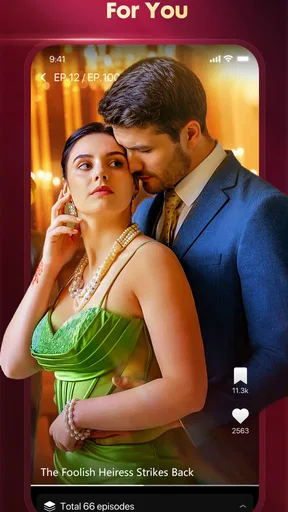

Our Review of Playlet: Watch Short Dramas&TV
 Analysis by Appyee
If you’re deciding whether a short-drama app fits the way you actually watch, my main advice is to think about the moments you want it to fill. Playlet is built around compact, serialized stories rather than a long film or a full evening of television. That makes it a natural option for a break, a wait, or a quiet stretch when you want a plot to follow but don’t want to start something that demands an hour of attention.
The format has a trade-off: a short episode can make it easy to begin, but cliffhangers can make it harder to stop. I’d treat it as a source of small viewing sessions, not assume that “short” automatically means a story will fit neatly into one spare moment. If you prefer complete, self-contained episodes, a conventional sitcom or a short video feed may suit you better.
Who gets the most from short dramas
I can see this working especially well for someone whose viewing time arrives in fragments: a few minutes before an appointment, a lunch break, or the wait for a meal to finish cooking. A continuing story gives those pockets of time a sense of progression that random clips often lack. You can return to a character or plot instead of starting from scratch every time you open an entertainment app.
It is less compelling if you mostly watch on a large screen, want long episodes, or need a story to be easy to pause for long stretches without losing its thread. Short-form drama often relies on quick turns and heightened emotion, so it may feel rushed if you prefer slow character development. I’d also choose a broader streaming service when I want a particular well-known show or a carefully planned movie night rather than something new to sample.
A sensible way to try it
Instead of browsing until a break is nearly over, I’d pick a series when I have a little breathing room, watch its opening, and decide whether its tone works for me. That small habit helps avoid the common short-video trap of spending more time choosing than watching. If a story catches your attention, keep the next episode for a moment when you can enjoy the transition rather than rushing through it.
Playlet is a free entertainment app from MICROSHOWTIME, with a Teen content rating. It has a 4.5 average from around 96,000 ratings and more than one million installs. That level of uptake suggests a substantial audience, though popularity alone does not tell me whether a particular series will match your taste. The app includes in-app purchases, with items ranging from $0.99 to $299.99, so I’d check the purchase details shown in the app before spending and avoid treating free installation as a promise that every viewing choice has no cost.
For a practical test, I’d start with the free experience, see how much browsing and watching it supports for my needs, and only consider a purchase once I understand what it unlocks. That is especially useful if you’re trying the app casually rather than planning to make it your main way to watch dramas. On a shared device, it is also worth being mindful of accidental taps around purchase prompts and making sure the person using the app understands that some items may cost money.
Small workflow choices that help
Short episodes can create an unusual viewing rhythm: you may finish one just as you need to put your phone away. Before starting, I’d consider whether I have time for the episode and a moment to stop afterward. If I’m waiting somewhere, I prefer to begin only when I can safely keep the device in hand; starting during a commute is less useful if I’ll soon need to switch attention to a stop, a ticket, or the people around me.
When a title does not immediately appeal, I’d move on rather than assuming every series uses the same tone. The app’s range of genres makes sampling a reasonable approach, but genre labels are only a starting point: a thriller may feel more heightened than a slow mystery, and a romance may lean into melodrama. Trying a small portion before committing is a practical way to find the style that fits your mood.
For anyone who likes talking about a story, comments and discussions can add a social layer. I’d use them after watching an episode rather than before it, since browsing viewer reactions first can reveal the kind of plot detail that is more fun to discover on your own. If you want an uninterrupted viewing session, simply skipping the discussion is a sensible choice; social features are an extra, not a reason you must engage.
What to check when something feels off
If playback or browsing seems unreliable, I’d first separate a temporary connection problem from an issue with the app itself. Try a different network if one is available, then close and reopen the app and check whether other online services are working on the same device. Those basic checks can narrow down the cause without changing settings you do not understand or repeatedly reinstalling the app.
If a series is difficult to find, try a shorter or more distinctive part of its title, then browse the available genres rather than relying on one exact search. Search terms and display names do not always match the phrase a viewer remembers. If the app opens but a particular screen does not respond, returning to the main screen and trying again is a reasonable first step before assuming your account or device is at fault.
Downloads, where available in your experience, are most useful when planned ahead rather than left until the moment you lose a connection. I’d check that an episode has finished downloading while I still have reliable internet, and leave enough free device storage for ordinary use. If offline playback does not work as expected, confirm that the download completed and reopen the app; an incomplete download or a crowded device can be more plausible explanations than a permanent fault.
When another option is the better fit
Compared with a general video platform, Playlet’s appeal is the focus on serialized, short dramatic viewing rather than a mix of creator videos, clips, and unrelated topics. That focus can save time if you want a story with recurring characters. A general platform is still more flexible if you want tutorials, news, music, or a broad range of viewing in one place.
Compared with a traditional TV streaming service, the shorter format is easier to fit into a quick pause, but it is not a substitute for a deep catalogue of full-length films and shows. If you value a particular title, long-form storytelling, or watching on a television as part of a planned evening, I’d use the service that best supports those habits. The right choice depends less on which app is universally better and more on whether you want a compact serial or a longer, more familiar viewing session.
Quick Entertainment, Maximum Impact
One of the first things that struck me about Playlet is how effectively it delivers engaging content in such short bursts. We're talking episodes that are often less than 10 minutes long, yet they manage to pack in all the drama, humor, and suspense you’d expect from a full-length show. It’s like the creators have distilled the essence of storytelling into these mini-episodes.
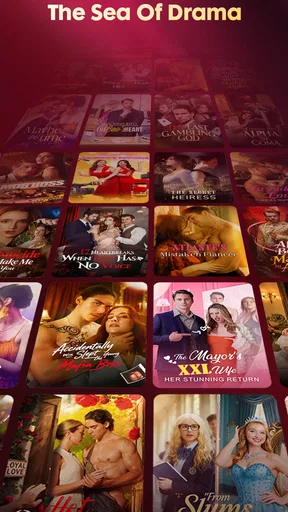
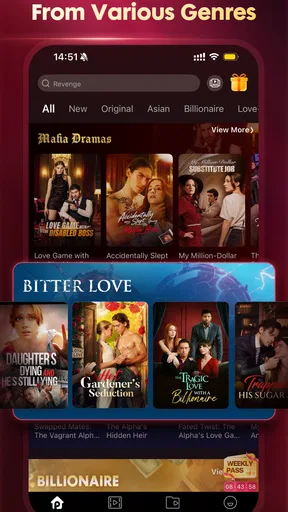
I found myself getting hooked on a few series almost immediately. The app has a wide range of genres, from comedy and thriller to sci-fi and romance, so there's something for everyone. And because the episodes are so short, it's easy to sample different series and find what suits your mood without a big time commitment.
Intuitive and User-Friendly Design
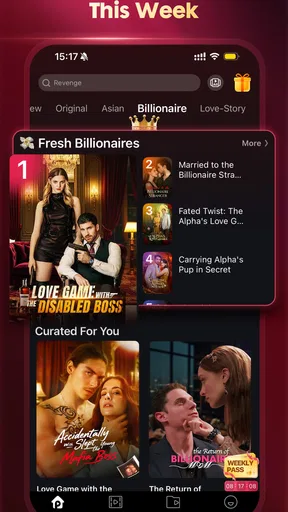
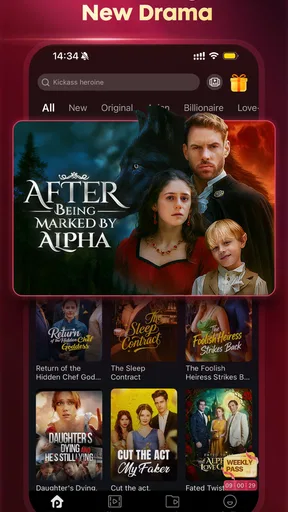
Let’s talk about the user interface. Navigating through Playlet is a breeze. The app is designed to be intuitive, ensuring you can find your favorite shows or discover new ones without any hassle. The homepage is neatly organized, featuring trending series and recommendations based on your viewing history.
The search functionality is pretty robust, allowing you to easily find specific dramas or explore by genre. It’s clear that the developers put a lot of thought into making the app as user-friendly as possible, which is something I always appreciate in an app.
High-Quality Content
Despite the short duration of its episodes, Playlet doesn’t skimp on quality. The production value is surprisingly high, with impressive cinematography and solid acting. It's almost like watching a mini-movie every time you hit play.
One series I particularly enjoyed had this cinematic feel that made each episode a visual treat. The sound design is also noteworthy, adding depth and atmosphere to the stories. It's evident that the creators are passionate about their craft, which really shines through in the content.
Offline Viewing and Download Options
For those who are always on the move, the offline viewing feature is a lifesaver. I love that I can download episodes in advance and watch them without needing a Wi-Fi connection. It’s perfect for commuting or when you're stuck in places with spotty internet.
Downloading is straightforward, and you can manage your downloads efficiently to save space on your device. It’s a practical feature that enhances the app’s usability, making it flexible for different lifestyles.
Engaging Community and Interaction
Another cool aspect of Playlet is its community features. You can engage with other viewers by leaving comments or joining discussions about the episodes. It’s like having a virtual hangout where you can chat about plot twists or favorite characters. This social aspect makes watching even more fun and helps build a sense of community among users.
Plus, the app occasionally hosts Q&A sessions with creators and actors, which is a fantastic way to get behind-the-scenes insights and feel more connected to the shows you love.
Final Thoughts
In a world where time is often short, Playlet: Watch Short Dramas&TV offers a refreshing solution for entertainment lovers. Its high-quality content, user-friendly design, and engaging community features make it a top choice for anyone looking to enjoy quick but impactful storytelling. Whether you're a fan of comedy, drama, or sci-fi, there's something here to pique your interest.
So, if you’re ready to dive into a world of short but sweet dramas, give Playlet a try. It’s a delightful way to unwind and get your entertainment fix without the long-term commitment. Happy viewing!
Verdict
Strengths of Playlet: Watch Short Dramas&TV
- Engaging short dramas for quick entertainment.
- High-quality video streaming with minimal buffering.
- User-friendly interface that's easy to navigate.
- Variety of genres to suit different tastes.
- Regular content updates keep the app fresh.
Limitations of Playlet: Watch Short Dramas&TV
- Limited offline viewing options available.
- Some content requires a premium subscription.
- Occasional ads disrupt viewing experience.
- Limited parental controls for younger viewers.
- App size may be large for some devices.
Similar Picks in This Category
View All
Google Play Games
Google LLC3.9

Netflix
Netflix, Inc.4.8

YouTube Kids
Google LLC4.2

Disney+
Disney4.4

Prime Video
Amazon Mobile LLC4.7

Steam
Valve Corporation3.2
Frequently Asked Questions
What is Playlet: Watch Short Dramas & TV?
Playlet is a mobile app offering a diverse range of short dramas and TV shows. It focuses on delivering bite-sized entertainment, making it perfect for those who enjoy quick, engaging content on the go. With a user-friendly interface, it caters to various genres, ensuring there's something for every viewer.
Is Playlet free to use, or does it require a subscription?
Playlet offers a freemium model. Users can access a selection of content for free, while a subscription provides ad-free viewing and access to premium content. Subscription details, including pricing and benefits, are clearly outlined within the app, ensuring users understand what they gain by subscribing.
What devices are compatible with Playlet?
Playlet is compatible with both Android and iOS devices. It requires Android version 5.0 or later, and iOS version 11.0 or later. The app is optimized for smartphones and tablets, providing a seamless viewing experience across different screen sizes.
Can I download episodes for offline viewing?
Yes, Playlet allows users to download episodes for offline viewing. This feature is particularly useful for users who want to watch content without relying on an internet connection. Downloaded episodes are stored within the app and can be easily accessed through the downloads section.
How frequently is new content added to Playlet?
Playlet updates its library regularly, with new episodes and series added weekly. This ensures that users have fresh content to explore continuously. Users can also enable notifications to receive alerts when new dramas or episodes are released, keeping them up-to-date with the latest offerings.
